Bio Links by Hilltops
A mini website for your events, venue and community.
One link in your Instagram bio with what’s on, where to find you and how to join in.
Free to create. No design skills needed.
- Event Organisers
- Venues & Bars
- Clubs & Communities
Your Instagram bio shows one link. Your followers are looking for the group chat. That’s a lot for one link. Meet Bio Links, the link in bio for everything you’ve got on. Built for every scene: live music, padel, your scene. List it once, your bio keeps up. Tickets, bookings, one tap. Your crowd, between nights. See what gets tapped: views, visitors, clicks and click rate, clicks per link and where your visitors come from. Plus, locals can find your events on Hilltops. One link in bio, everything on. Free to create at business.hilltops.app/bio-links.
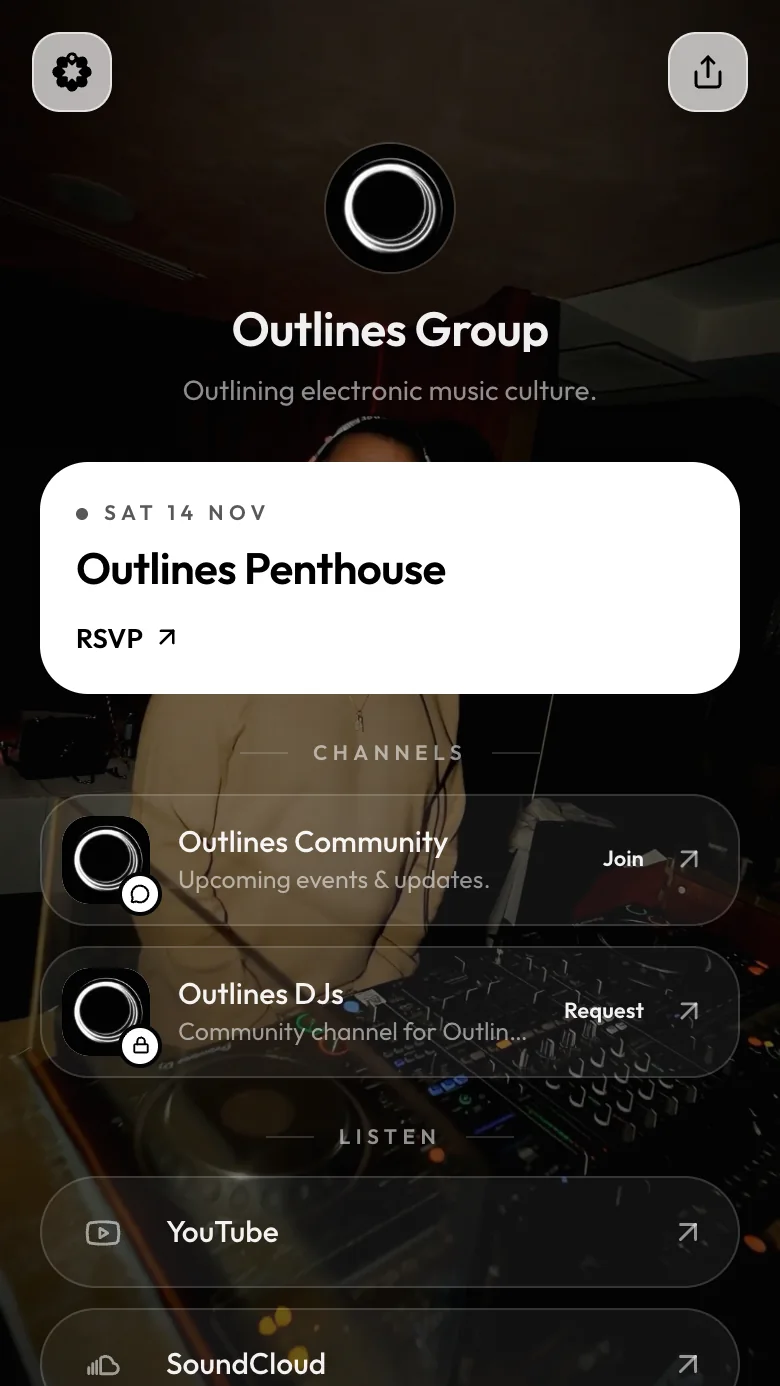

Outlines Group
Outlining electronic music culture.
Case study
One link for the nights, the community and the sound.
Their page opens on a looping video: a premium music event experience, so it feels like an Outlines night before anyone taps. Behind it sits everything their crowd looks for: the next night, a place to talk between events, and their latest mixes.
- Scene
- Music events
- Look
- Immersive
- Blocks
- Events, channels, links, socials
Easy to manage
One place to run it all.
Your page runs on your Hilltops profile. Keep your events and links current in the portal and your page follows. Your profile, socials, venue and chats sit there with next to no upkeep.
- All in one: events, venue, community chats and your Bio Links page, managed from the same portal.
- Doubles as local discovery: once an event is live, it’s on your page, in the Hilltops app and on hilltops.app, where locals find what’s on.
- Past events drop off your page by themselves, so it never shows last month’s night.
- Venue hours, “open now” and booking buttons come from your venue profile.
- Edit in a live phone preview: click a block to change it, drag to reorder.
- See what’s working: your page’s views and clicks are in the portal, and with Hilltops Pro, the clicks on every link, event and venue action.
Simple link management
Your own links, in seconds.
Menus, merch, sign-up forms, a playlist. Paste a link and it’s on your page, ready to tap.
- Paste a Humanitix, OpenTable or Playtomic link: we pick the icon and the button (“Get tickets”, “Book now”).
- Type @yourname for Instagram, TikTok and more; it becomes the right link.
- Feature your most important link as a big card, with your own button text.
- Hide a link for later, or drag it into place. Nothing to re-upload.
- Built to load fast
- Works on phone and desktop
- Publish when you’re ready
Pick a look
Eight designer templates, made for your brand.
Start from a template, then make it yours: your brand colours, logo, bio and socials, and a photo or short looping video. Switch any time.
Venue
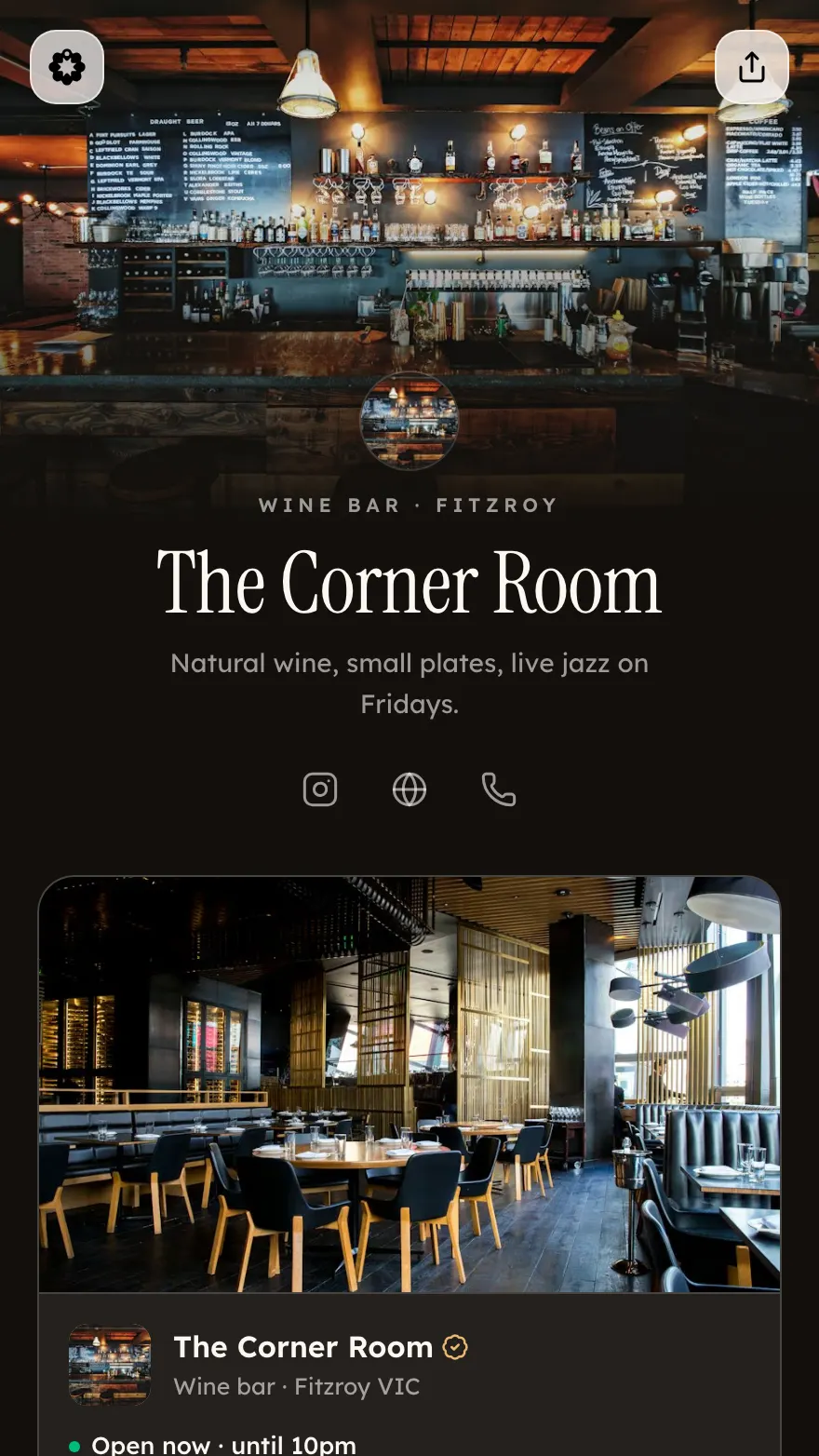
Your photo up top, fading into a dark, elegant page.
Share it, reach locals
One link. Every place people find you.
Put hilltops.app/l/yourname in your bio, on posters and at the bar. It leads into Hilltops, where locals discover what’s on.
01Your Instagram bio
Followers tap the one link.
02Your Bio Links page
What’s on, where you are and how to join.
03Featured on Hilltops
Your events on the local map, for people nearby.

Your Brand
Business
Weeknight socials for people who’d rather be out than scrolling. 📍 Melbourne
hilltops.app/l/your-brand


FAQ
Questions about Bio Links
Your page, your way
One link for everything you’ve got on.
Whether you run a venue, a weekly night or a club, your page shows what’s on and how to join in. Free to create.